> For the complete documentation index, see [llms.txt](https://docs.shopone.io/llms.txt). Markdown versions of documentation pages are available by appending `.md` to page URLs; this page is available as [Markdown](https://docs.shopone.io/huong-dan-tao-lap-landing-page-tu-a-z.md).
# II. HƯỚNG DẪN TẠO LẬP LANDING PAGE TỪ A-Z
**Landing page** là công cụ quan trọng trong việc thu hút khách hàng, quảng bá sản phẩm, hoặc triển khai các chiến dịch Marketing hiệu quả. Hướng dẫn này sẽ giúp bạn dễ dàng xây dựng một trang landing page từ đầu đến cuối một cách đơn giản và dễ hiểu dù bạn là người mới bắt đầu, chưa có kinh nghiệm.
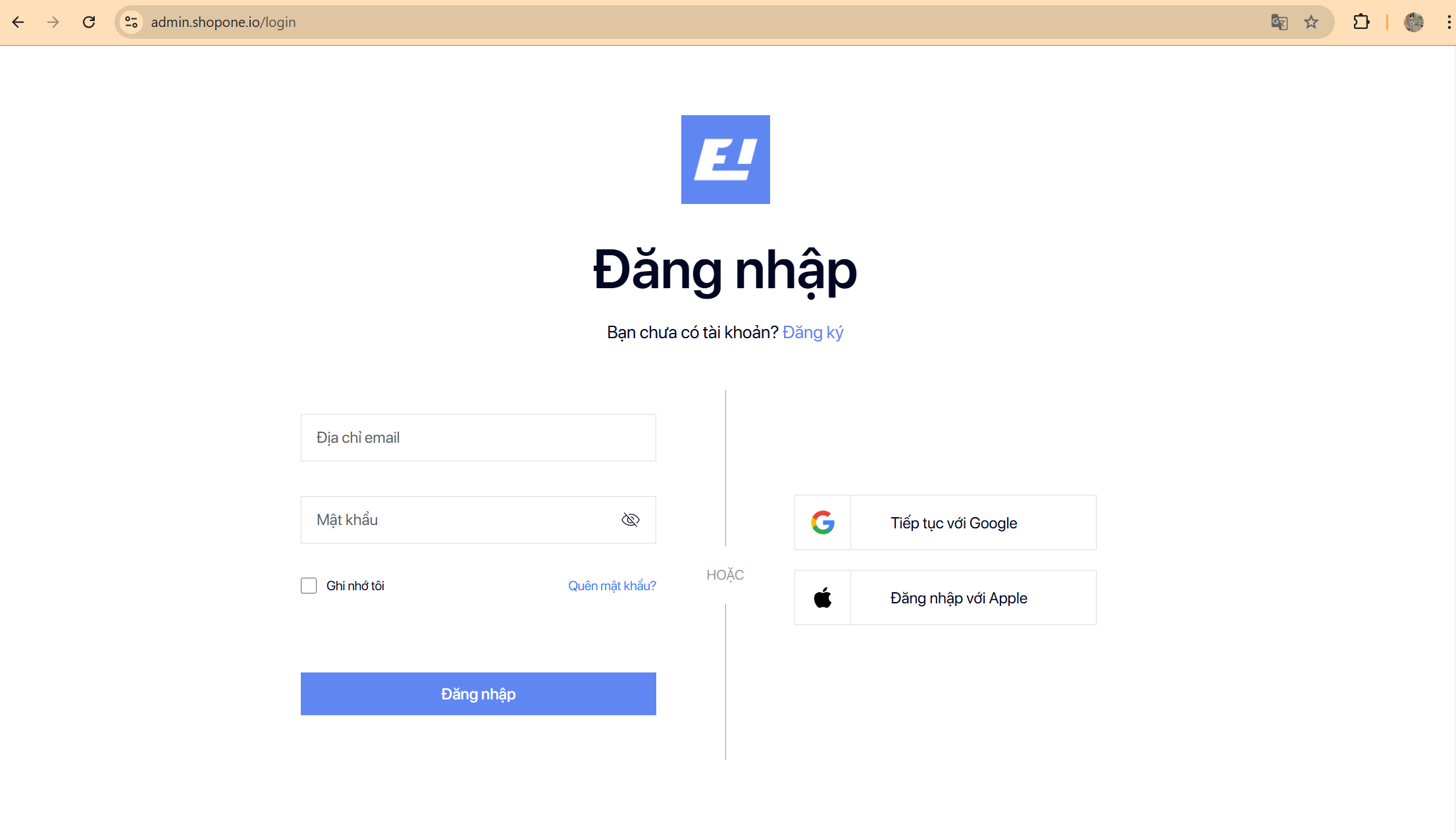
#### Bước 1: Đăng ký hoặc đăng nhập tài khoản tại ShopOne để bắt đầu sử dụng dịch vụ miễn phí.
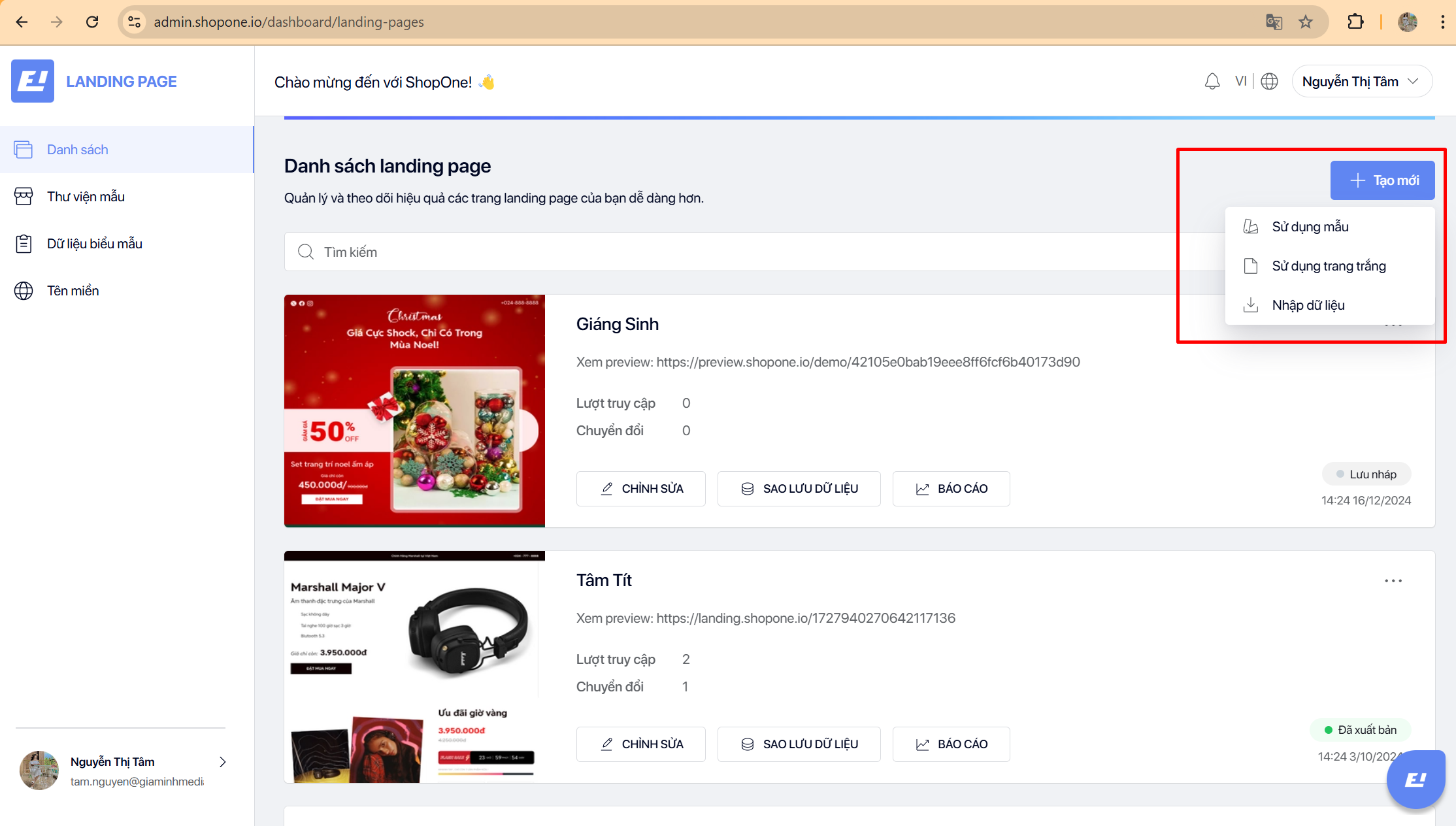
#### Bước 2: Lựa chọn cách tạo lập landing page.
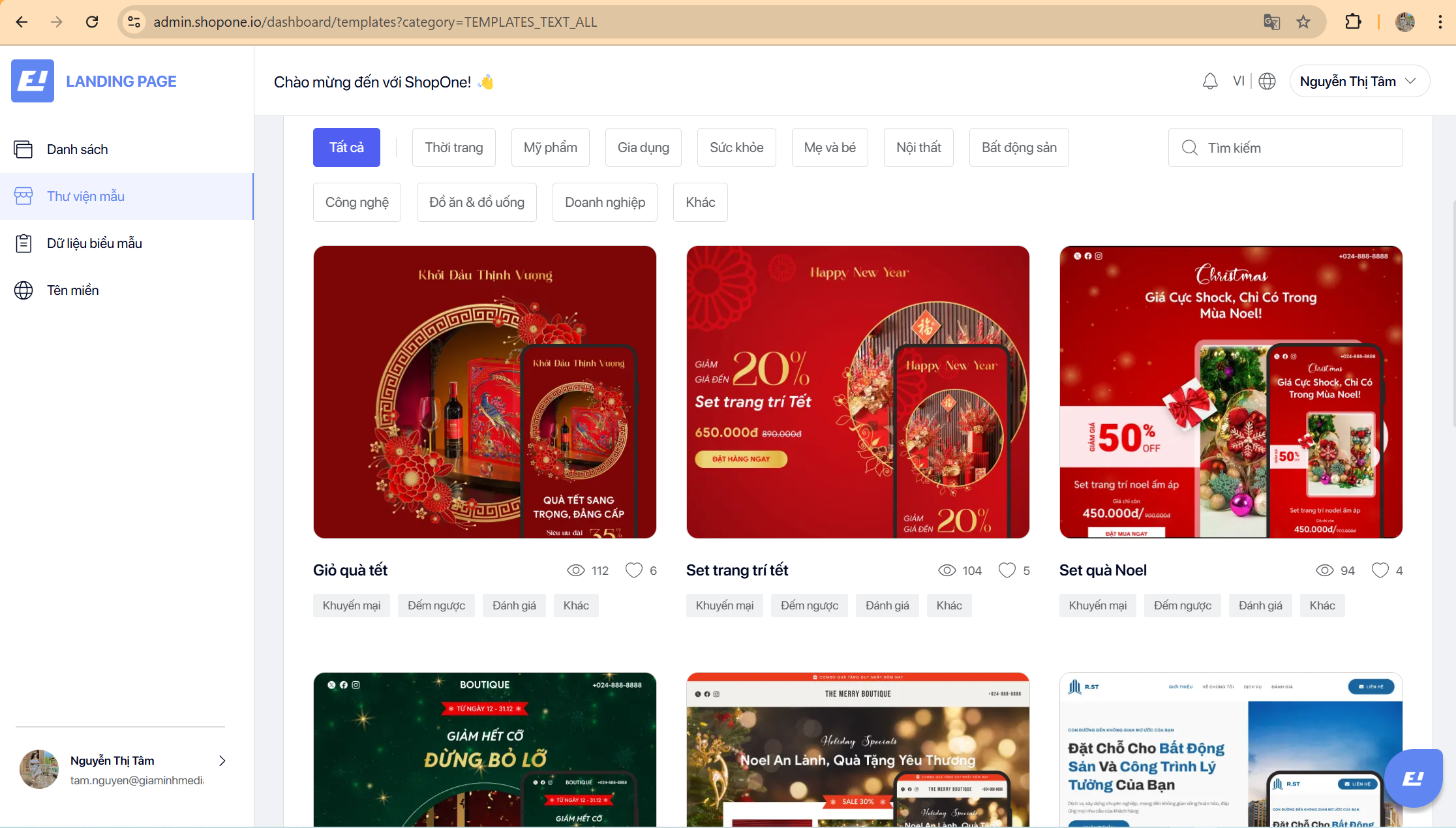
* **Sử dụng mẫu:** Cho phép người dùng chọn mẫu template được cung cấp sẵn bởi ShopOne tại Thư viện mẫu.
* **Sử dụng trang trắng:** Tạo mới landing page trắng cho người dùng thiết kế theo ý thích.
* **Nhập dữ liệu:** Cho phép người dùng nhập mẫu template có sẵn từ thiết bị.
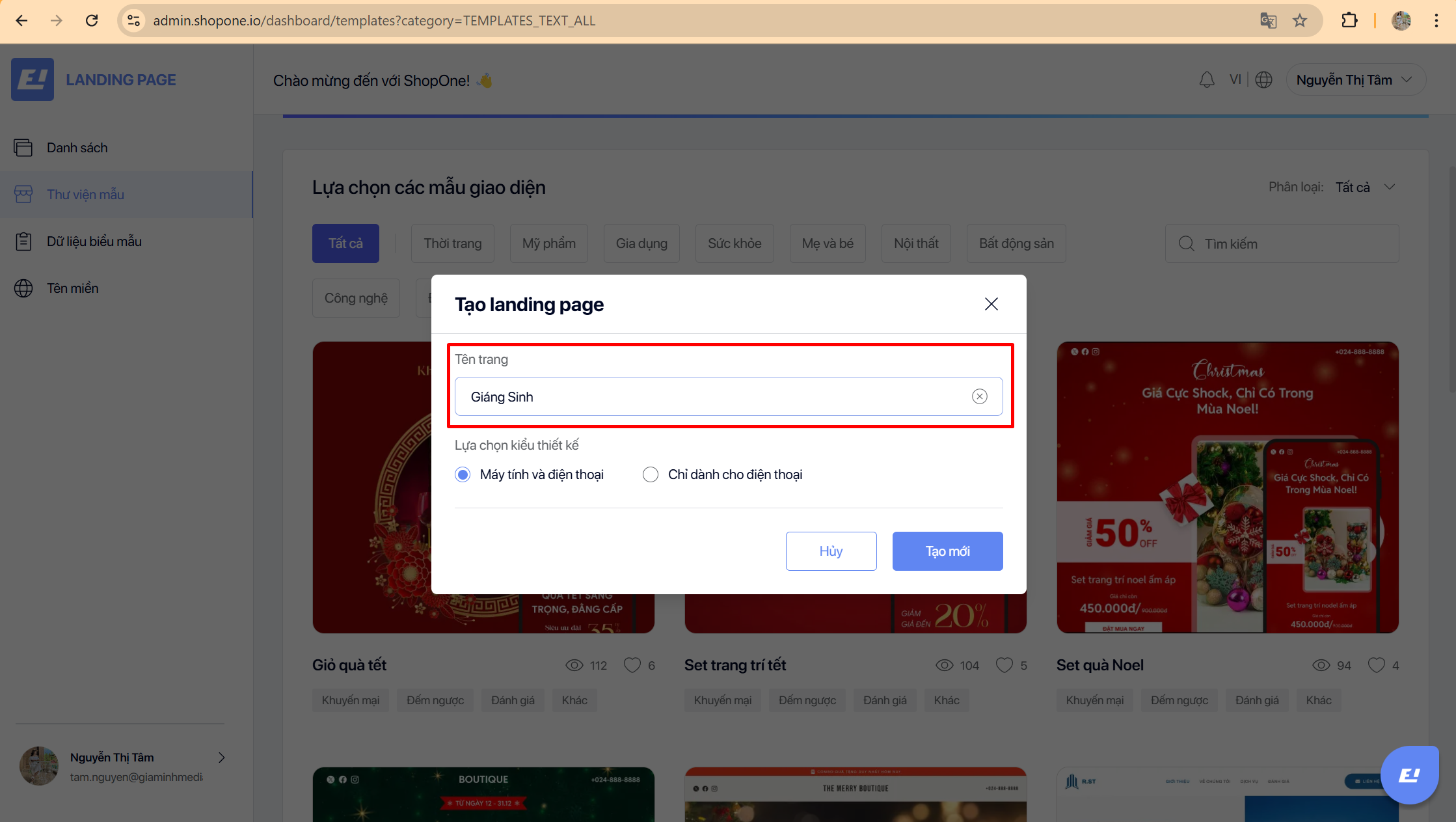
#### Bước 3: Nhập tên trang và chọn giao diện thiết kế ⇒ Tạo mới.
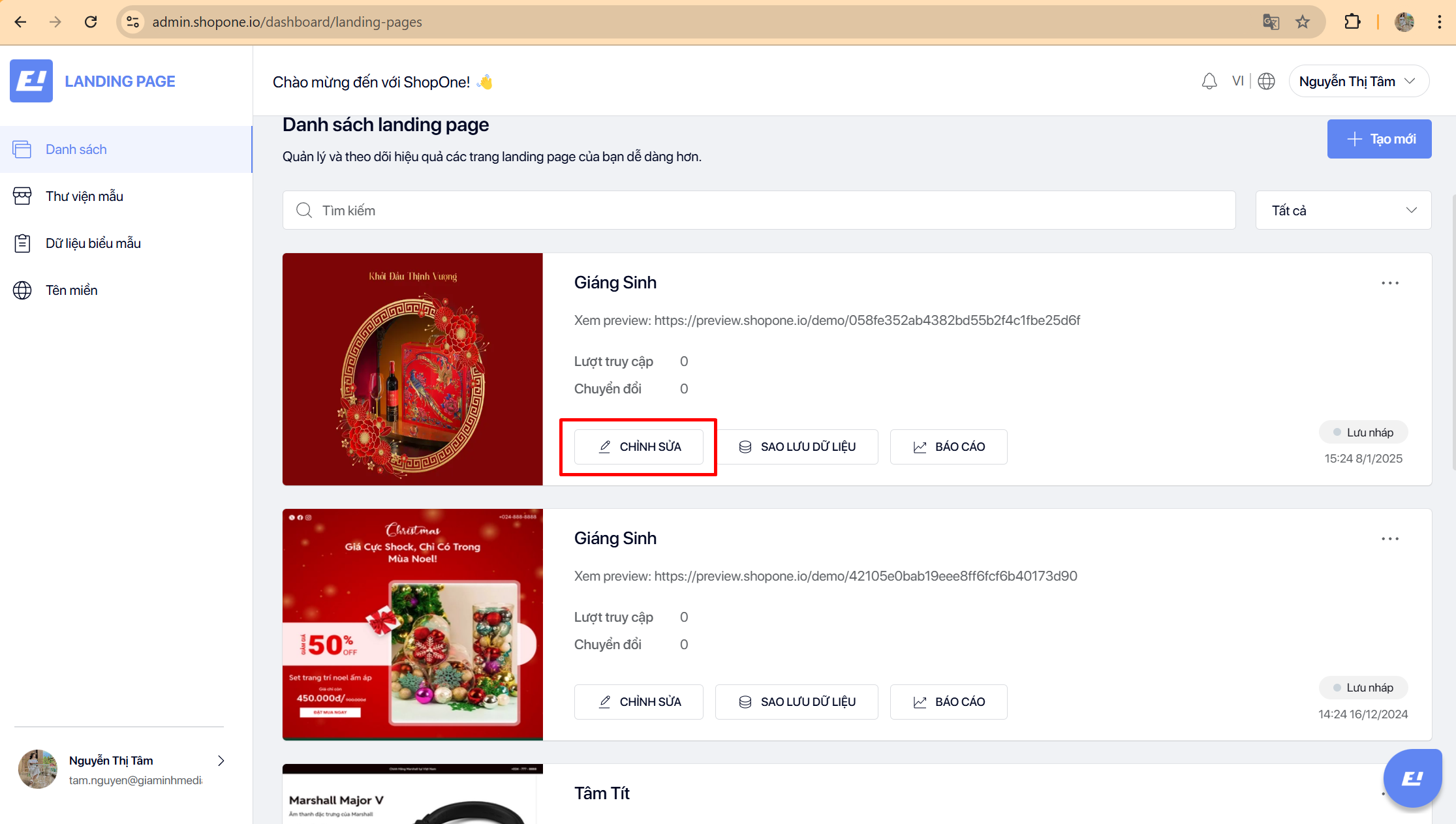
#### Bước 4: Sau khi tạo lập landing page thành công, chọn “Chỉnh sửa” để bắt đầu thiết kế.
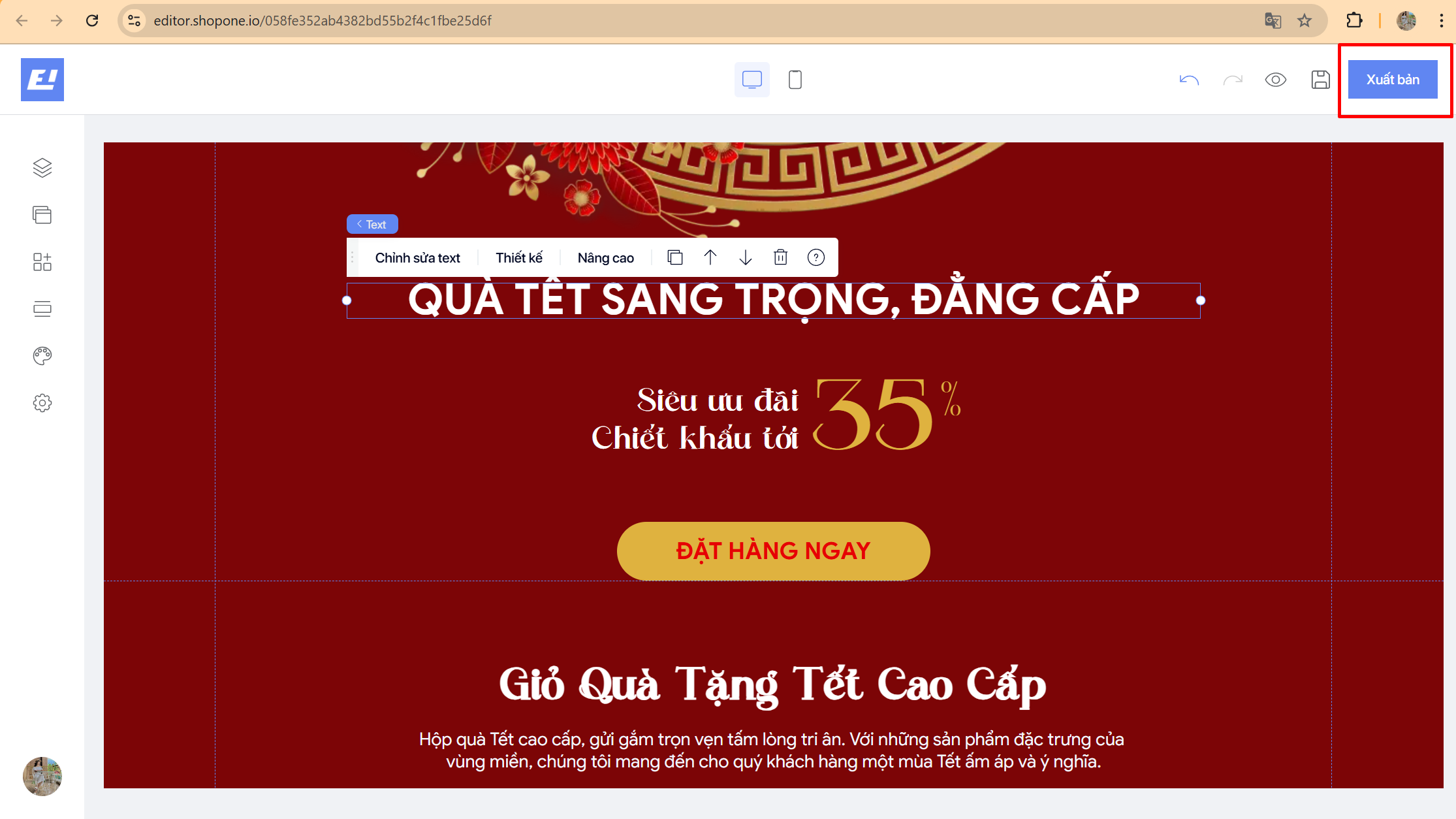
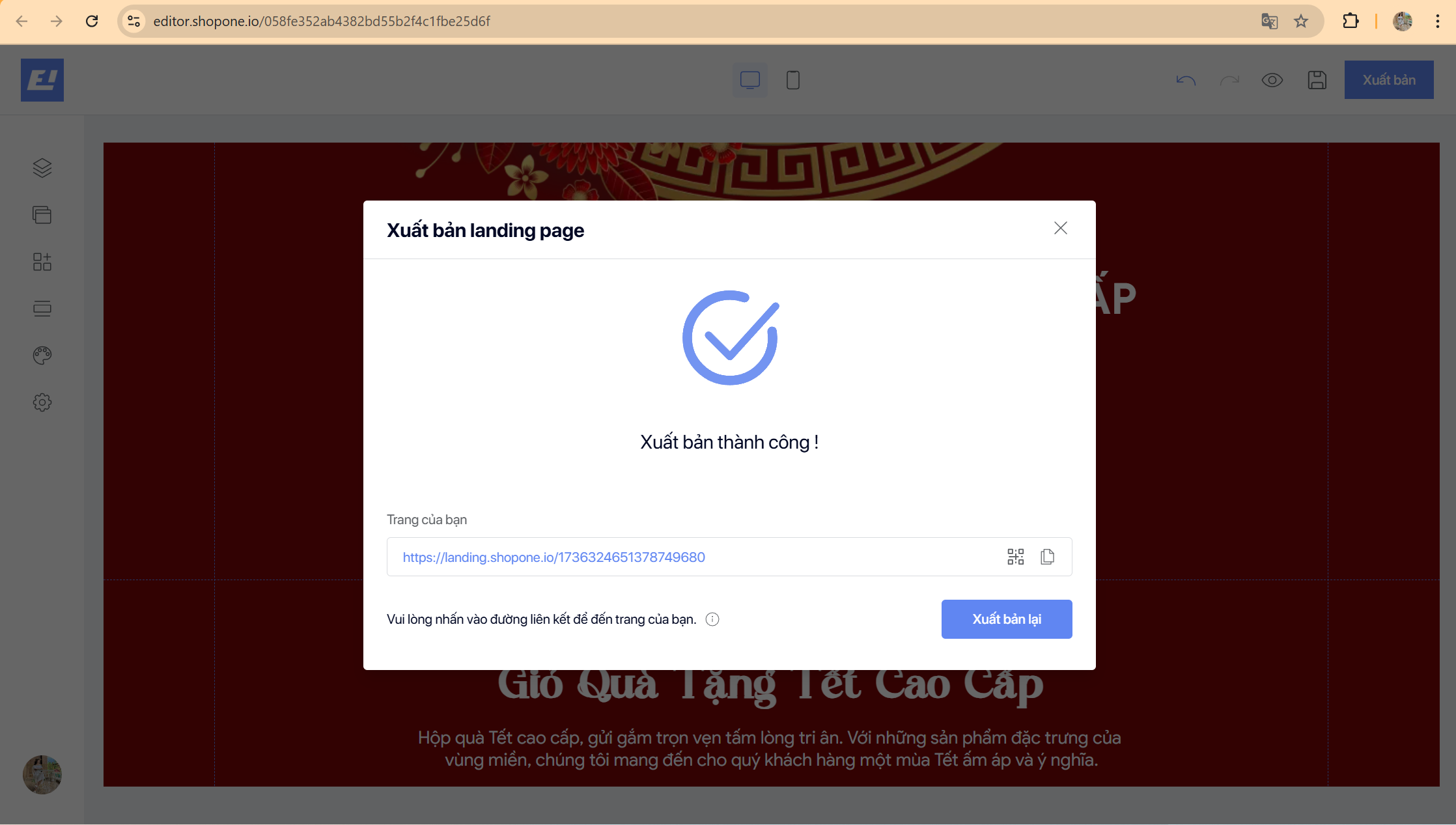
#### Bước 5: Chỉnh sửa landing page, sau khi hoàn tất nhấn “Xuất bản”.
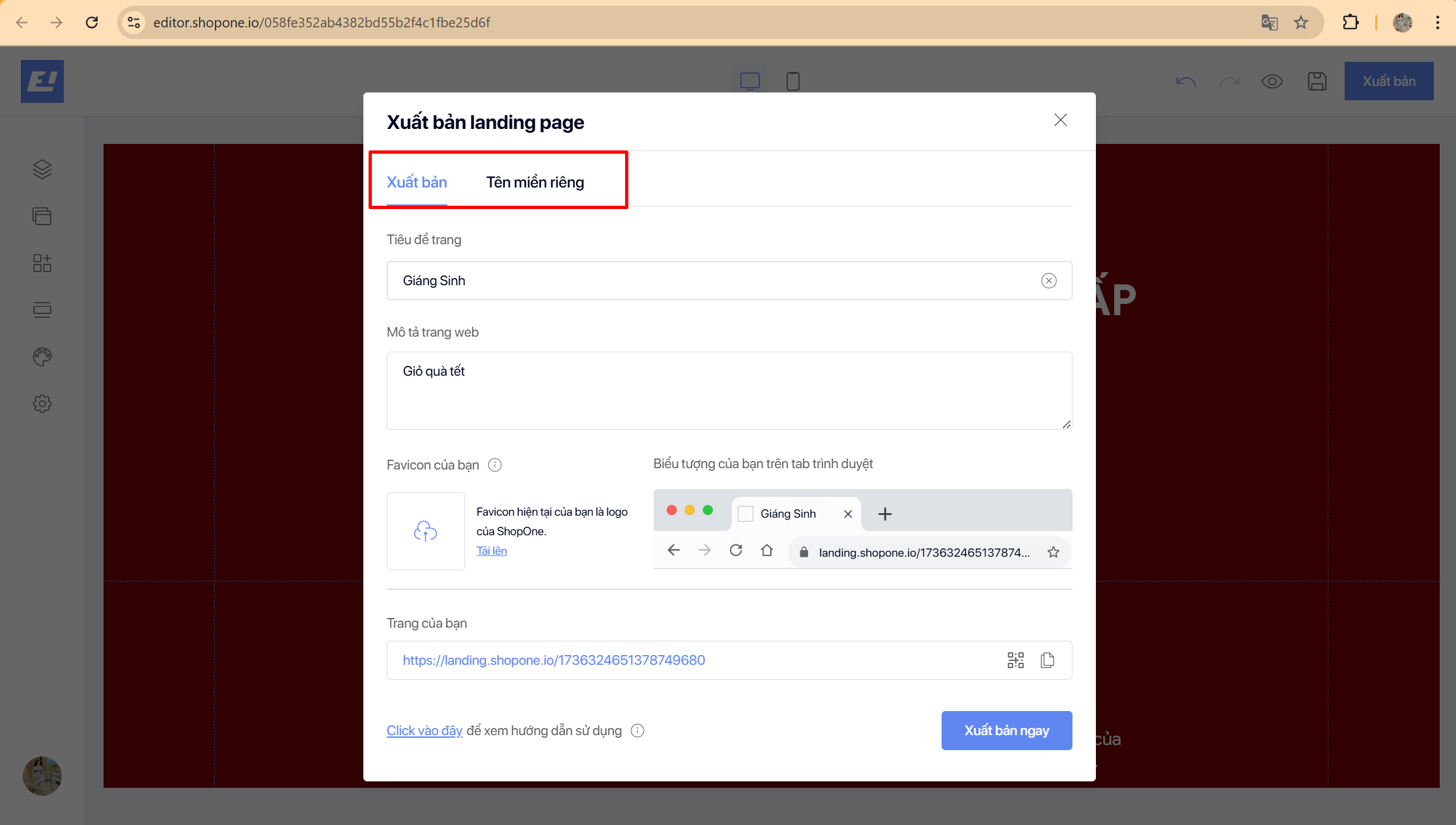
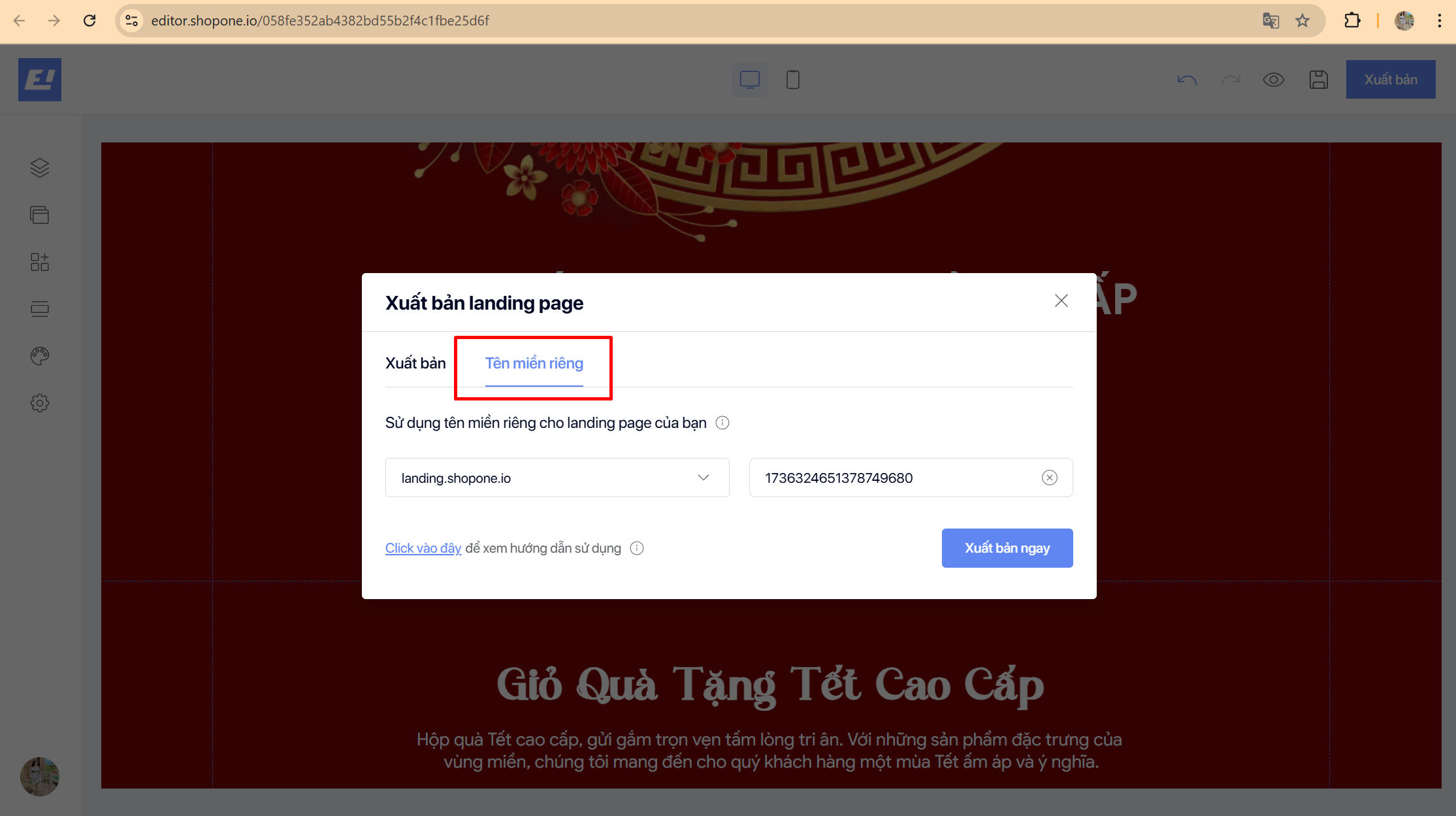
#### Bước 6: Nhập đầy đủ thông tin và liên kết tên miền riêng (nếu có).
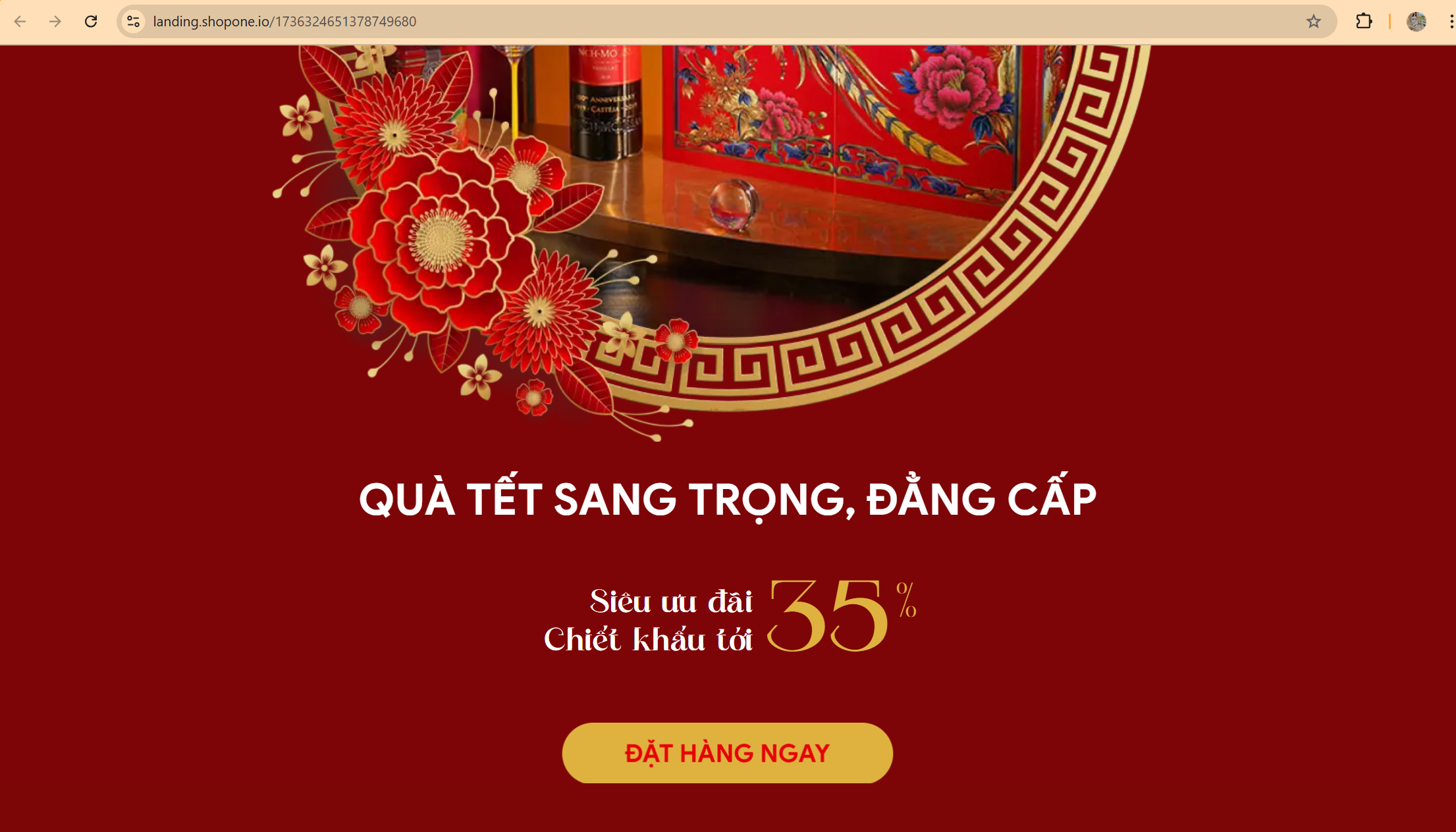
#### Bước 7: Bấm “Xuất bản ngay” và hoàn thành tạo lập landing page của bạn.