# 2.3. Landing Page Editor

The landing page editing page is the interface setup page for the landing page.

**You can access the editing page by:**

* On the Dashboard, click on the **Edit** section of the landing page you want to set up the interface for.

<figure><img src="https://4288789091-files.gitbook.io/~/files/v0/b/gitbook-x-prod.appspot.com/o/spaces%2FcZrhJDsqJxZMsvuaSaiJ%2Fuploads%2FDoJqLaYXCSN9HRWNweQq%2Fimage.png?alt=media&#x26;token=d5533936-d540-4cd6-aae0-86e34af41777" alt=""><figcaption></figcaption></figure>

* When you select a sample landing page in the landing page system, clicking on **Use** will take you to the setup page for that landing page's interface.

<figure><img src="https://4288789091-files.gitbook.io/~/files/v0/b/gitbook-x-prod.appspot.com/o/spaces%2FcZrhJDsqJxZMsvuaSaiJ%2Fuploads%2FIafIgEnvsIrZqyMhzg7B%2Fimage.png?alt=media&#x26;token=e24b9040-97d4-4a6f-a6be-5d359fceeb94" alt=""><figcaption></figcaption></figure>

**Landing page Editor:**

<figure><img src="https://4288789091-files.gitbook.io/~/files/v0/b/gitbook-x-prod.appspot.com/o/spaces%2FcZrhJDsqJxZMsvuaSaiJ%2Fuploads%2FJAzR4TsOcCkwcrSphctu%2Fimage.png?alt=media&#x26;token=d1f47248-d89f-41de-a4f7-cef2f4a193c8" alt=""><figcaption></figcaption></figure>

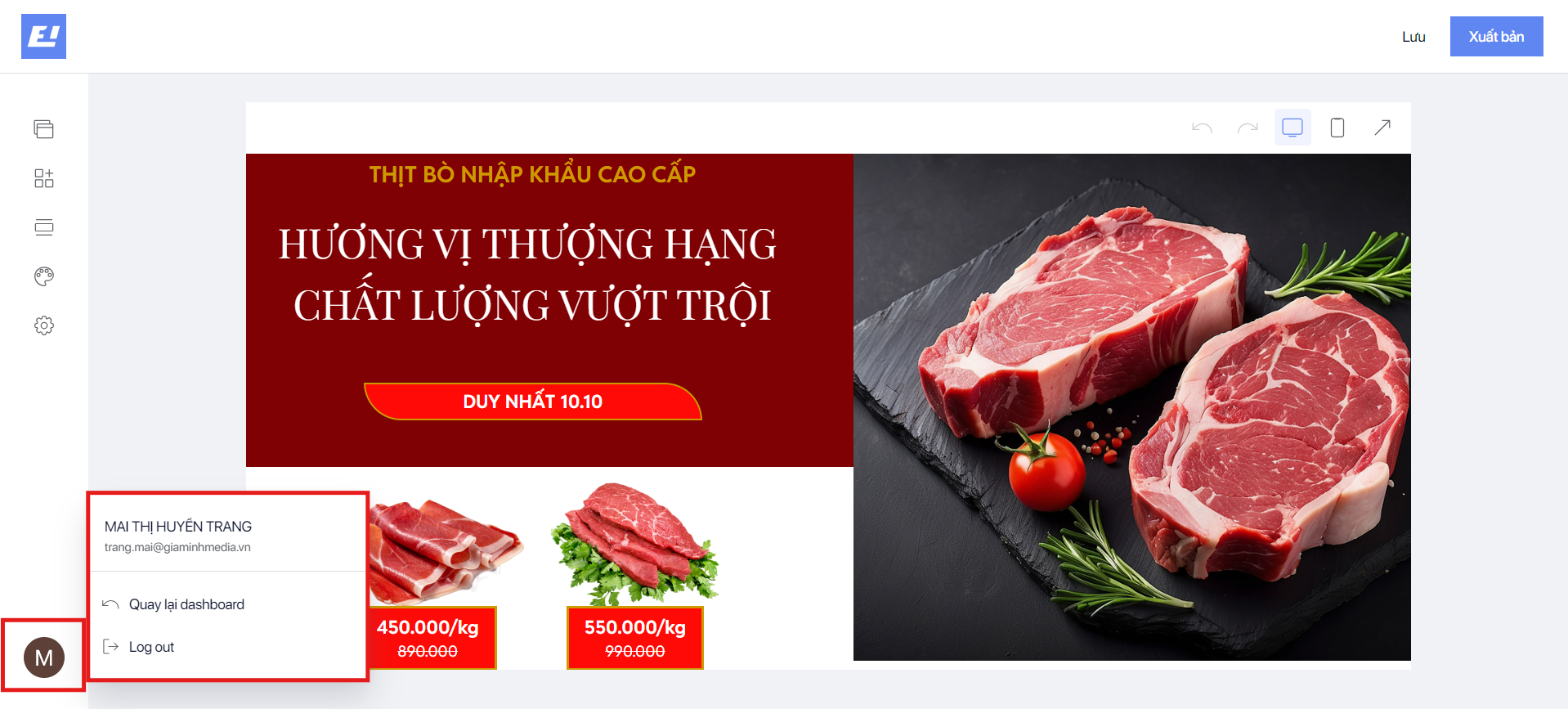
Click on Back to Dashboard if you want to exit the ShopOne Editor.&#x20;

Click Log Out to sign out of your account.

<figure><img src="https://4288789091-files.gitbook.io/~/files/v0/b/gitbook-x-prod.appspot.com/o/spaces%2FcZrhJDsqJxZMsvuaSaiJ%2Fuploads%2FFj9Q0QO72POLsrlZBnmx%2Fimage.png?alt=media&#x26;token=0bbd280c-daa1-4e14-a6fe-691d78fb05e8" alt=""><figcaption></figcaption></figure>

<figure><img src="https://content.gitbook.com/content/cZrhJDsqJxZMsvuaSaiJ/blobs/N0yQye6Mgerii1H6FjnA/image.png" alt=""><figcaption></figcaption></figure>