# 2.3. Container
The **Container** widget is a useful tool that helps you easily create content boxes on the landing page. With the Box, you can create frames to contain text, images, videos, or any other elements you want to highlight on the page.
## **1.** Add Container to the landing page
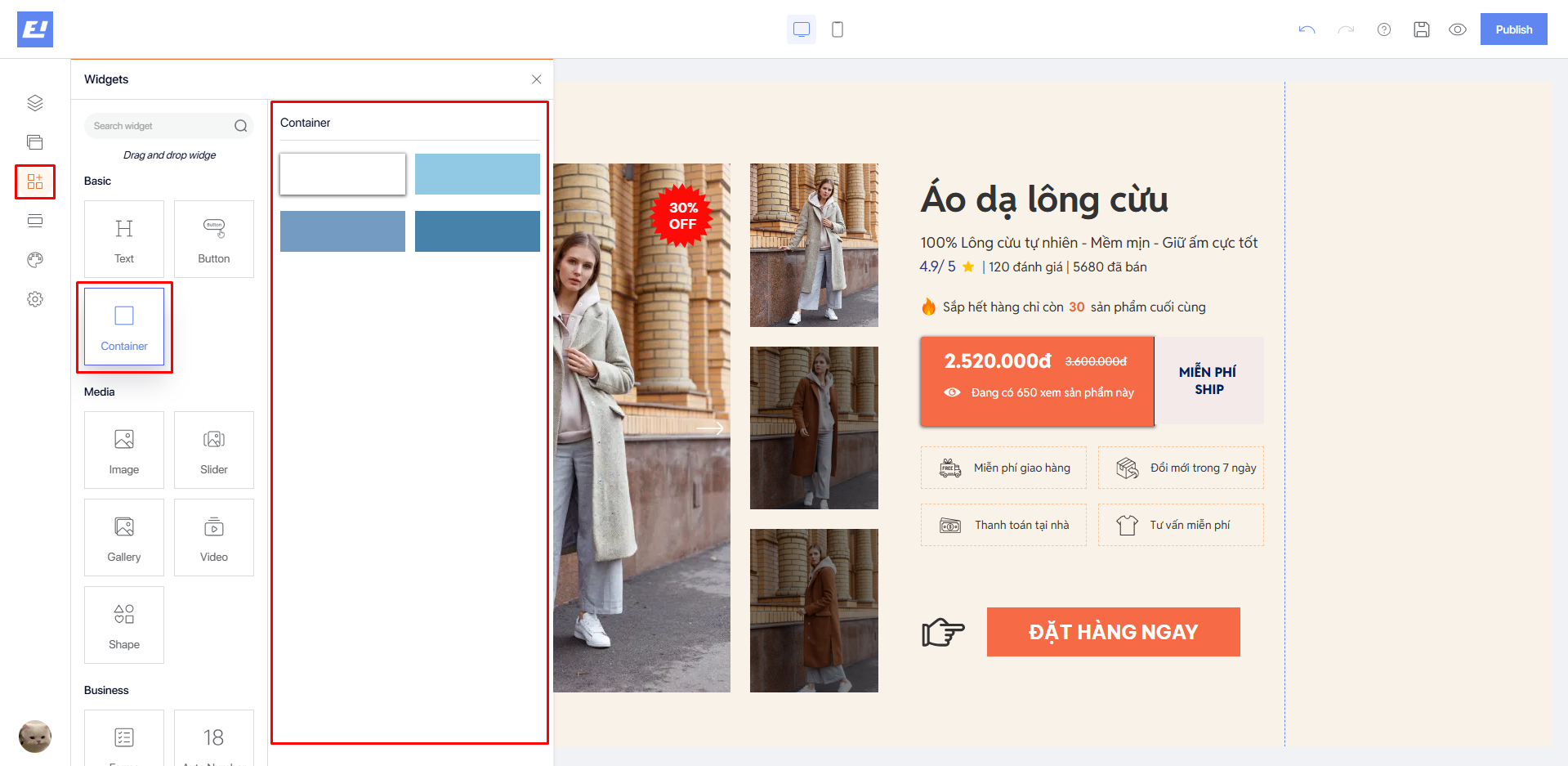
* Click on **Widgets** in the sidebar of the editor.
* Select **Container** from the **Basic** section.
* Choose the **Container** element and drag it onto your landing page.
## **2. Container Editor**
### 2.1. Design Editor
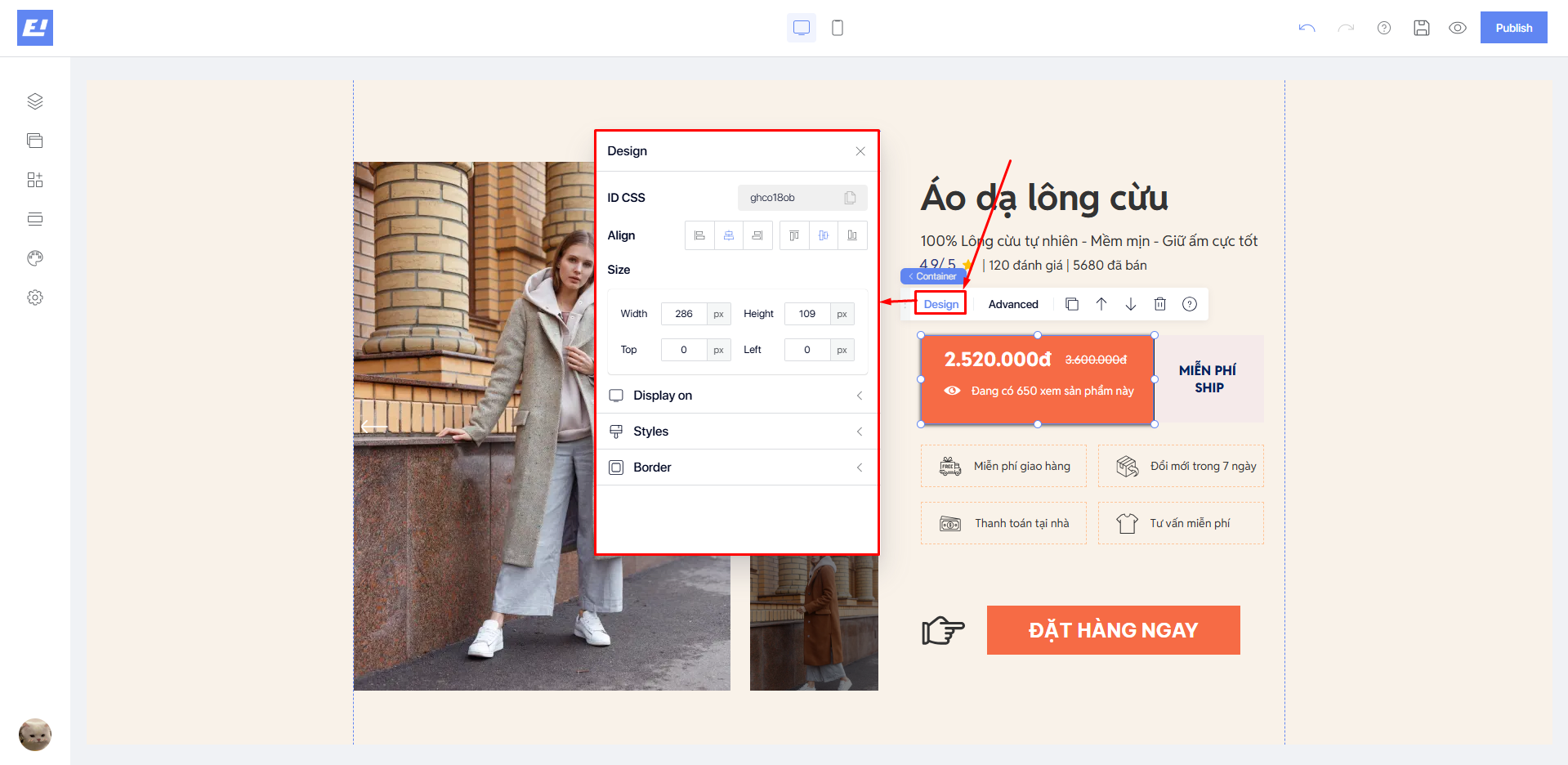
To access the **Design Editor**, click on the **Container** widget you wish to modify on the screen and select **Design** from the quick settings bar.
* **Align**: helps you align the **Container** within the container, see details [**here**](https://docs.shopone.io/english/basic-setup-tools-for-the-landing-page/quick-setup-bar/design-editor/align).
* **Sizes**: adjust the size of the **Container**, see details [**here**](https://docs.shopone.io/english/basic-setup-tools-for-the-landing-page/quick-setup-bar/design-editor/size).
* **Display On**: determines the devices on which the **Container** will be displayed, including Desktop and Mobile.
* **Styles**: allows you to change the background color, overflow content, and shadow effects of the selected **Container**, see details [**here**](https://docs.shopone.io/english/basic-setup-tools-for-the-landing-page/quick-setup-bar/design-editor/styles).
* **Border**: allows you to add and customize the border around the **Container**, and you can also adjust the border radius, see details [**here**](https://docs.shopone.io/english/basic-setup-tools-for-the-landing-page/quick-setup-bar/design-editor/border).
### 2.2. Advanced Editor
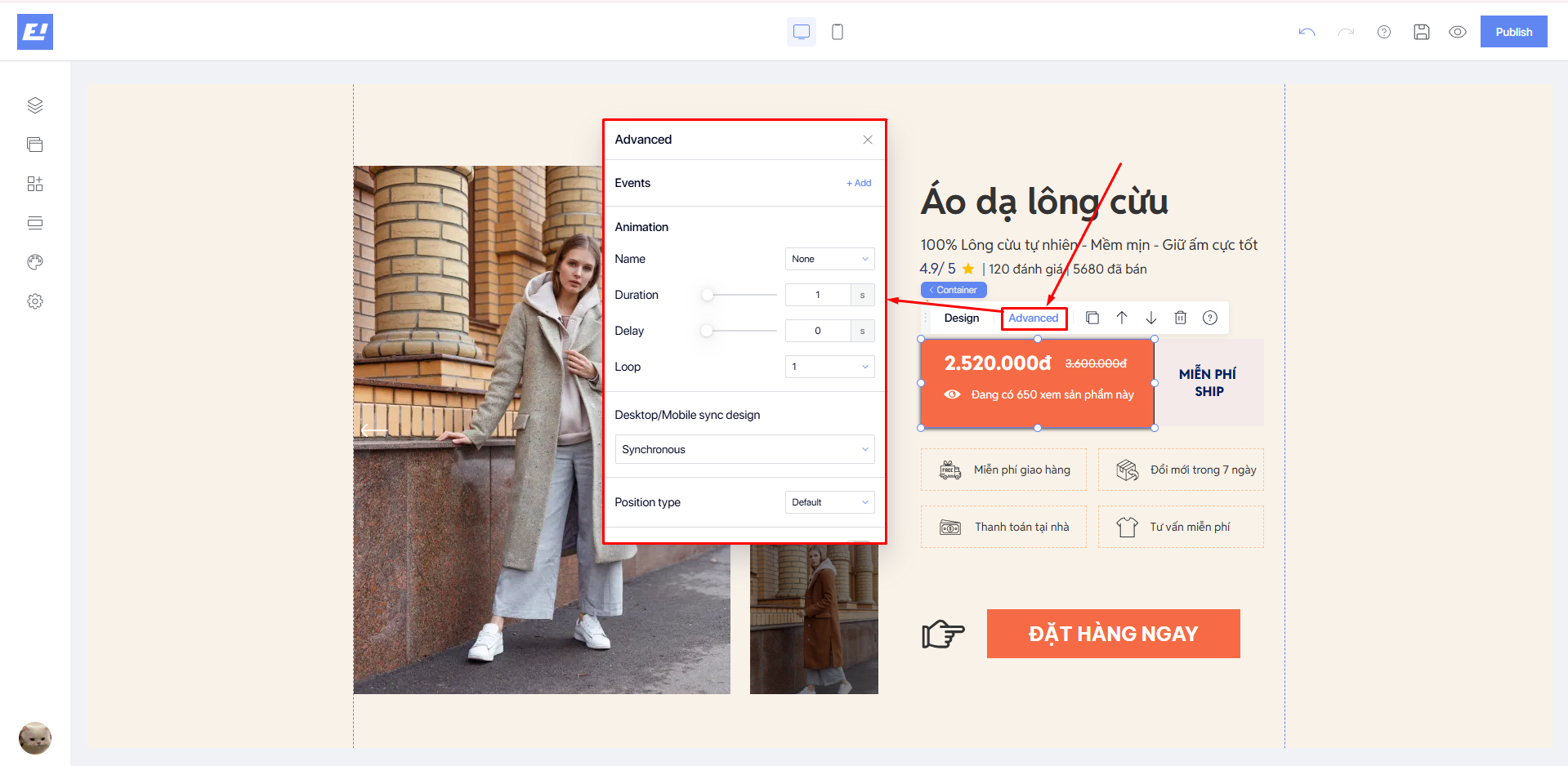
To access the **Advanced Editor**, click on the **Container** widget you wish to modify on the screen and select **Advanced** from the quick settings bar.
* **Events:** Allows you to set events for click or hover actions on the widget, see details [**here**](https://docs.shopone.io/english/basic-setup-tools-for-the-landing-page/quick-setup-bar/advanced-editor/event).
* **Animation**: Allows you to add dynamic animations to the widget on your landing page to make it more attractive and lively, see details [**here**](https://docs.shopone.io/english/basic-setup-tools-for-the-landing-page/quick-setup-bar/advanced-editor/animation).
* **Desktop/Mobile sync design**: Allows you to set synchronization options for the design between desktop and mobile, see details [**here**](https://docs.shopone.io/english/basic-setup-tools-for-the-landing-page/quick-setup-bar/advanced-editor/desktop-mobile-sync-design).
* **Position type**: Lets you choose the appropriate positioning style to optimize the webpage and provide the best experience for users, see details [**here**](https://docs.shopone.io/english/basic-setup-tools-for-the-landing-page/quick-setup-bar/advanced-editor/position-type).
* **Custom advance**: Allows you to customize the appearance and behavior of the component using CSS layers and custom CSS code, see details [**here**](https://docs.shopone.io/english/basic-setup-tools-for-the-landing-page/quick-setup-bar/advanced-editor/custom-advance).